

Challenge #10
Enhance Privacy in Microsoft Teams Meetings
Elevate your Teams meetings security by configuring settings to prevent anonymous user participation. Ensure your meetings are safe spaces for open and secure discussions.

Why?
Today, virtual meetings are the norm, and ensuring the sanctity and privacy of these discussions becomes imperative, especially when sensitive information is shared. The necessity to restrict anonymous users from joining Microsoft Teams meetings is not just about maintaining order; it’s about safeguarding against uninvited and potentially harmful participants.
Reflecting on the early days of 2020, when unvetted guests frequently disrupted online meetings, we recognize the importance of stringent controls. By adjusting Teams settings to prevent anonymous users from joining, we put the power back into the hands of the meeting organizer, ensuring only verified individuals can participate. This step is particularly vital for meetings dealing with confidential company matters and is part of our larger strategy to uphold rigorous security across all communication channels.
How?
Ensuring your Microsoft Teams meetings are shielded from anonymous access involves a few key steps.
Step 1: Go to the Microsoft Teams Admin Center
On your computer, launch a new browser window (Edge, Chrome), and type in https://admin.teams.microsoft.com and press enter.
Note: You will require Microsoft 365 administrative credentials – be sure to have the username and password ready.
Step 2: Adjust Meeting Policies
Within the Microsoft Teams Admin Center:
- Look for and select Meetings on the left-hand menu
- Under Meetings, select Meeting Policies
Step 3: Modify Global Settings
- Within the Meeting policies window, select the Global (Org-wide default) policy
- Scroll down until you see Meeting join & lobby
- Disable/turn off Anonymous users can join a meeting
- Now only invited and authenticated users can enter your meetings
- Click Save
While you’re here…
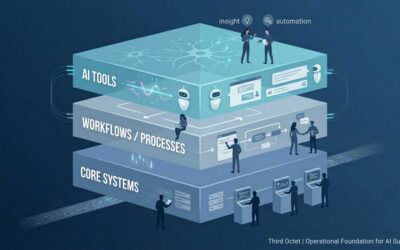
AI in Non-Profits, Accounting, and Legal: What Actually Moves the Needle
Why AI Alone Doesn’t Move the Needle AI is exposing a readiness gap. Some organizations are using it to expand capacity, reduce administrative friction, and improve responsiveness. Others are layering it onto messy systems and hoping for transformation. The difference...

AI Fundamentals: What Every Professional Should Understand About AI
Table of Contents Why AI Matters for Professionals AI Basics Every Professional Should Know Top AI Tools for the Workplace How AI Supports Professionals Prompting Tips for Better AI Results AI Adoption Method for Your Team AI Ethics and Risks Key Takeaways Why...

The IT Partner Every Business Needs at the Table
Strategic IT advice before decisions are made prevents surprises and costs. Many business decisions that seem unrelated to technology actually have important IT implications. Vendor tools, office expansions, grant applications, and new initiatives often affect...