

Challenge #1
Empower with Self-Service Password Reset
Unlock the potential of your team by enabling Self-Service Password Reset (SSPR) in Microsoft 365. Streamline password management and boost your security effortlessly.

Why?
Self-Service Password Reset (SSPR) is a crucial feature in Microsoft 365 that helps streamline password management for your team. Think of SSPR as a tool that allows your employees to reset their passwords securely and independently, anytime and anywhere, without needing to call IT or you for help. It’s not just a convenience; it’s an essential step towards enhancing your company’s security.
With SSPR, your team members can reset their passwords immediately if they suspect a security breach, significantly reducing the risk of unauthorized access. SSPR also eliminates the traditional password fatigue, where frequent changes lead to weaker passwords. Instead, it encourages the use of strong, unique passwords that make it harder for external threats to breach your systems. This level of autonomy in managing passwords reduces the likelihood of falling prey to phishing scams targeting password recovery, and minimizes internal risks associated with password handling.
Moreover, SSPR ensures that your business runs smoothly as employees no longer face lengthy downtimes due to forgotten or compromised passwords. By implementing SSPR, you’re not just simplifying a process; you’re actively building a stronger and more secure defense system against potential cyber threats, fostering a culture of proactive security within your team.
How?
Before diving into the steps for enabling Self-Service Password Reset (SSPR), it’s important to note the specific Microsoft 365 licensing requirements. SSPR is available with Microsoft 365 subscriptions, so you’ll want to ensure your plan includes this feature. At a minimum, you should be utilizing Microsoft 365 Business Standard. If you’re unsure about your current licensing or need assistance in understanding your subscription details, feel free to reach out to us for guidance. Once you’ve confirmed that SSPR is available in your plan, follow these simple steps to enable it for your organization and start harnessing its benefits.
Step 1: Go to the Entra Admin Center
On your computer, launch a new browser window (Edge, Chrome), and type in https://entra.microsoft.com/ and press enter.
Note: You will require Microsoft 365 administrative credentials – be sure to have the username and password ready.
Step 2: Find Password Settings
Within the Microsoft Entra Admin Center:
- Look for and select Protection along the left-hand side menu
- Under Protection, look for and select Password reset
- In the Password reset window, Properties should be selected (if not, select Properties)
- Under Self service password reset enabled, click the All option to enable for all users
Step 3: Turn on SSPR for Everyone
- In the Password reset window, Properties should be selected (if not, select Properties)
- Under Self service password reset enabled, click the All option to enable for all users
Demonstration
A simple demonstration of an end user forgetting their password and getting unstuck with self-service password reset in Microsoft 365.
While you’re here…

How We Work at Third Octet: A Clear, Predictable IT Partnership
A clear, guided path from first conversation to long-term IT confidence A proven approach trusted by nearly 100 Canadian SMBs to simplify, secure, and modernize IT. Without surprises. This page is for growing SMBs (typically 25–150 employees) who have outgrown “basic”...

Protecting Cash Flow and Continuity: Why SMBs Need Cyber Insurance Now
A fundamental question we hear more than ever On a recent call with one of our long-time clients, their finance lead paused and asked a simple, yet loaded question: "We're a small business. Is cyber insurance really necessary?"It's a fair question. A question that...
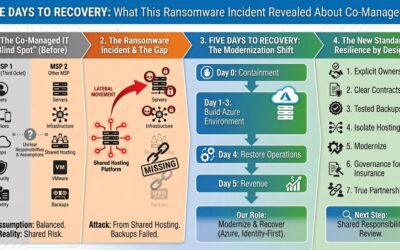
Five Days to Recovery: What This Ransomware Incident Revealed About Co-Managed IT
A story of shared hosting, broken assumptions, and the 'blind spot' in co-managed accountability Before you read This article isn't about blame or scare tactics. It's about how co-managed IT can quietly break down, how ransomware actually spreads, and what practical...