
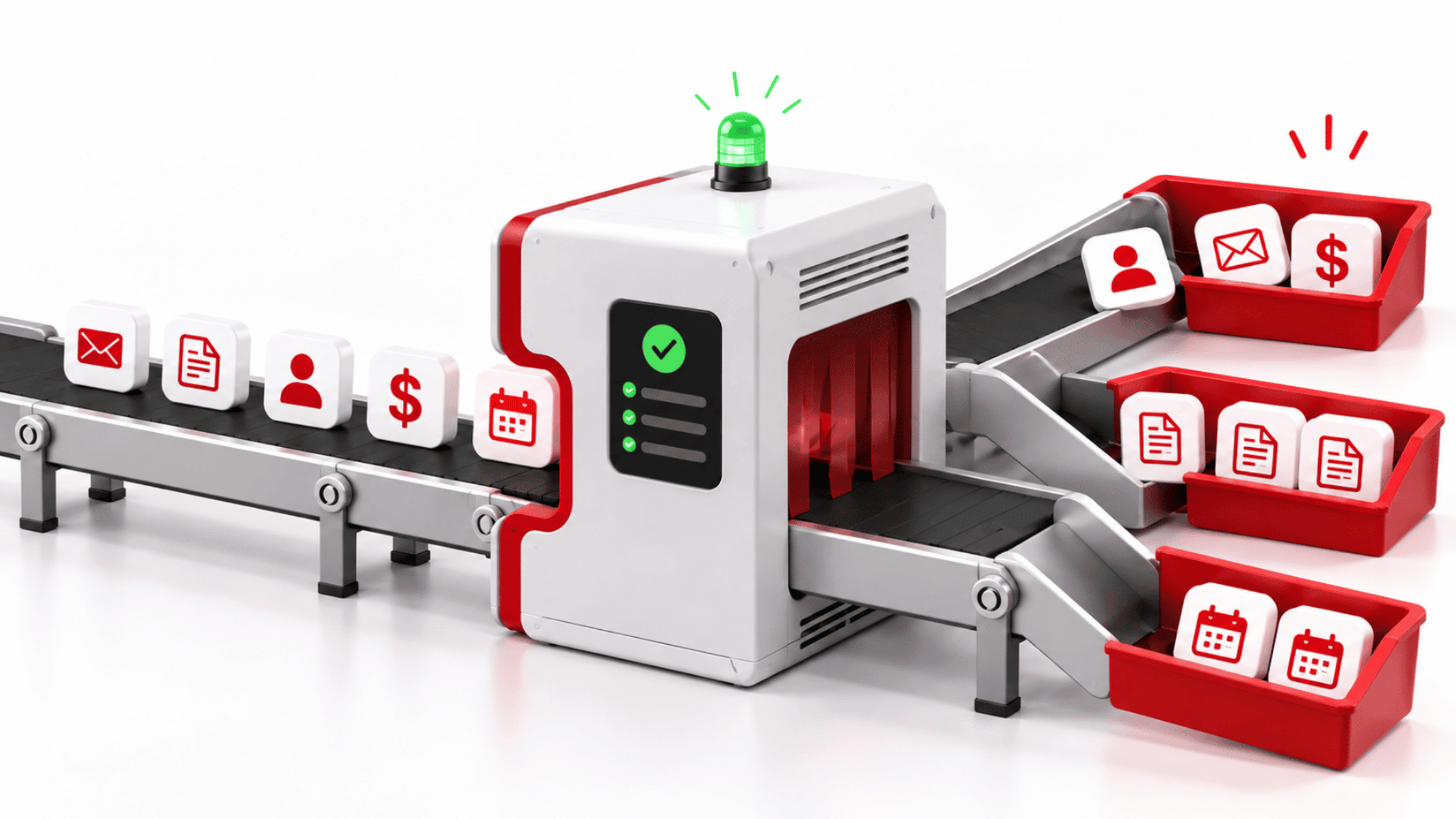

Automation governance is the set of controls that helps a business understand, manage, and oversee its automated workflows.
The automation kept running exactly as it had been configured. The problem was that one of the rules underneath it was wrong.
Imagine a professional services firm that automates part of its monthly invoice process. A field is mapped incorrectly during setup. The workflow still runs, but the wrong information now moves through every invoice in the batch.
The automation hasn’t failed. It has faithfully followed the process it was given.
That’s one risk businesses can miss when they start automating repetitive work. The goal is usually sensible: reduce manual effort, create consistency, and free people up for work that needs their attention.
But once a process can run on its own, another question matters just as much: who stays accountable for the result?
That’s where governance comes in.
Automation governance is the set of controls that helps a business understand, manage, and oversee its automated workflows. It establishes who owns an automation, what it can access and change, how problems will be detected, and what should cause it to pause or stop.
Why does automation repeat mistakes at scale?
Automation takes an existing process and runs it repeatedly and consistently. It doesn’t stop first to decide whether the process itself makes sense.
When the underlying process is sound, that can be extremely useful. Work happens faster, fewer steps depend on someone remembering to do them, and repetitive tasks take less time.
The same consistency can also magnify a flaw.
A billing workflow can apply the wrong rule across an entire batch. An onboarding workflow can give people access they don’t need. A CRM automation can repeatedly classify records the wrong way.
The issue usually isn’t that the technology suddenly stopped working. It’s that the workflow kept doing exactly what it had been configured to do.
That’s why repeatable work needs clear guardrails, especially as automation starts touching customer data, financial information, business records, or system access.
Small errors can compound quickly
Manual work comes with friction. That’s why businesses automate it.
But some of that friction also gives people opportunities to notice when something looks wrong. Someone preparing invoices individually might spot an unusual amount. Someone provisioning an account manually may notice that the requested access doesn’t fit the person’s role.
Once those steps happen automatically, the same error can repeat before anyone reviews the result.
The bigger the workflow, the more that matters.
This follows a pattern we also see with AI: technology can amplify ambiguity that already exists in a process. Automation behaves similarly. If the rules underneath a workflow are clear and appropriate, it can extend them efficiently. If those rules are incomplete or wrong, it can extend those too.
Automation amplifies whatever is underneath it.
That makes visibility and accountability more important as automation expands.
What changes when governance is in place
Governance adds a layer around an automated workflow so the business can see what it’s doing, who is responsible, and what happens when something goes wrong.
The automation itself may look almost identical either way. The difference becomes visible when the workflow behaves unexpectedly.
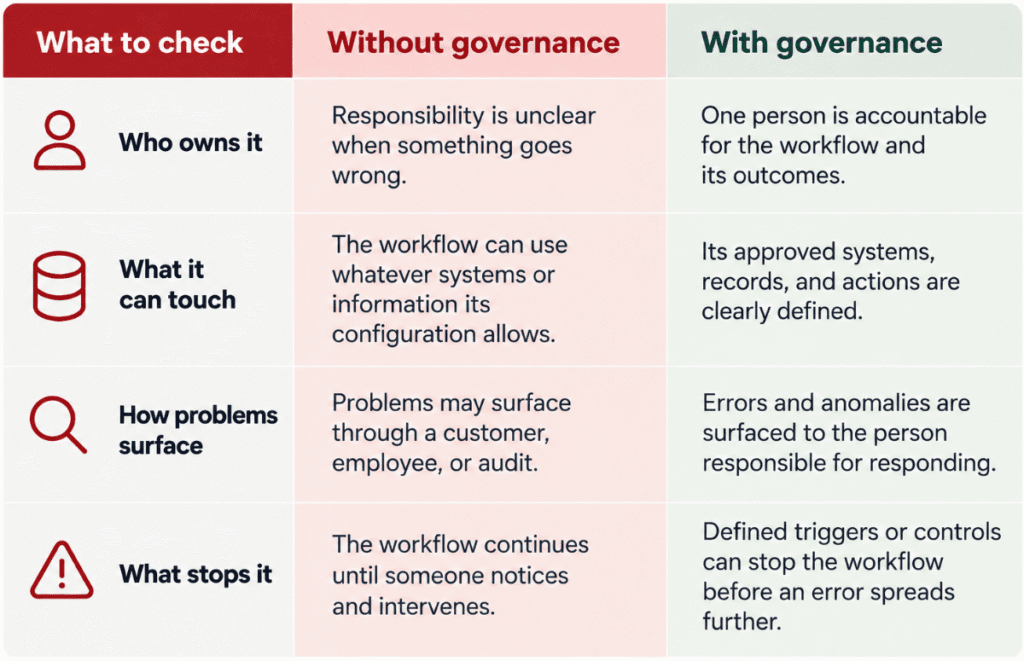
These controls don’t need to make automation cumbersome.
They create the conditions for a workflow to operate predictably, so people no longer have to watch every step.
The same principle applies when businesses bring unsanctioned technology into the light. You first need to know what’s running, what it can access, how much risk it creates, and who is responsible for it.
Automation deserves similar attention because, in practice, it has become another working part of the business environment.
Does automation governance slow your team down?
For an SMB, governance doesn’t need to mean a new committee, a lengthy policy process, or an approval chain for every workflow change.
At the workflow level, it can be much more practical.
The aim is to make sure someone can answer a few basic questions before an automation is trusted to operate unattended:
Who owns it? What can it touch? How will someone know if it goes wrong? What will stop it?
Those questions become more important as automations connect more systems and take on more consequential actions.
A workflow that moves information between two internal tools carries a different level of exposure than one that changes permissions, sends customer communications, updates financial records, or interacts with sensitive information.
Governance gives teams a way to match the controls to what the automation actually does.
Good governance lets automation move quickly within clear boundaries.
How do you govern an automated workflow?
At the individual workflow level, four things create a useful starting point.
- An owner. One named person should be accountable for what the automation does once it’s running. In many cases, that’s the person responsible for the underlying business process, not the person who technically built the workflow. When ownership is unclear, monitoring and follow-through can become unclear too.
- A defined scope. Document what the workflow is allowed to access and change. That includes the systems it connects to, the information it can use, and the actions it can take. This makes it easier to spot when an automation has more access than the task requires.
- Error visibility. Decide how someone will know when the workflow fails, behaves unexpectedly, or produces an unusual result. That could mean an alert, an exception report, a review queue, or another control appropriate to the process. What matters is that the problem reaches someone who can act on it.
- A stop condition. Determine what should pause or stop the automation. Depending on the workflow, that might be an unexpected volume, a failed validation, an unusual transaction, or a manual control that the owner knows how to use.
None of these requires sophisticated new software.
They require a clear understanding of how the workflow fits into the business and what needs to happen when the process stops behaving as expected.
How do you know if your existing automations need governance?
Most automation starts with a reasonable problem.
Someone sees repetitive work that consumes time, creates inconsistency, or depends too heavily on people remembering the same steps over and over. Automating that work can be a smart investment.
The next step is making sure the business can still see and control what happens after the manual work disappears.
For every automation already running, it’s worth asking, if this workflow misfired tomorrow, who would notice, how quickly would they know, and what would stop it?
If those answers aren’t clear, the gap is worth finding before the workflow becomes more deeply embedded in the business.
A Governance Gap Assessment can help identify where ownership, access, monitoring, and response controls need more attention across your environment.
Frequently asked questions
What is automation governance?
Automation governance is the set of controls that helps a business understand, manage, and oversee its automated workflows. At a practical level, it means knowing who owns an automation, what it can access and change, how problems will be detected, and what should cause it to pause or stop. The goal is to let automation operate efficiently while keeping clear accountability and control over the results.
Do I need a governance policy before I automate anything?
Not necessarily. For an individual automation, start by establishing clear ownership, scope, error visibility, and a stop condition. A broader policy may become useful as the number and complexity of automations grow, but practical workflow-level controls can come first.
What’s the difference between IT governance and automation governance?
IT governance covers the broader way the business selects, manages, secures, and oversees technology. Automation governance focuses more narrowly on a particular workflow, including who owns it, what it can access, how problems are detected, and when it should stop.
Who should own an automated workflow?
In many cases, ownership should sit with the person responsible for the business process the automation supports. The person who built the workflow may help maintain it, but accountability also requires understanding what the workflow is meant to accomplish and what a good or bad result looks like.
Why does automation governance matter?
Automation governance matters because automation can repeat and scale mistakes just as efficiently as it repeats good processes. Clear ownership, defined access, error visibility, and stop conditions help businesses catch problems before they spread.
How do you audit automations already running?
Start with a list. Write down every automation currently running, including ones built into your CRM, accounting, email, or Microsoft 365 tools. For each one, record who owns it, what systems and information it can access, what actions it can take, how someone would know if it failed, and what would stop it. Review the workflows that change permissions, send customer communications, or update financial records first, since they carry the most exposure.
What should make an automation stop?
It depends on what the workflow does, but common triggers include an unexpected volume, a failed validation, or an unusual transaction. The owner should also have a manual way to pause the automation and know how to use it. The goal is to decide in advance what “something is wrong” looks like, so the workflow doesn’t keep running until someone happens to notice.



0 Comments