
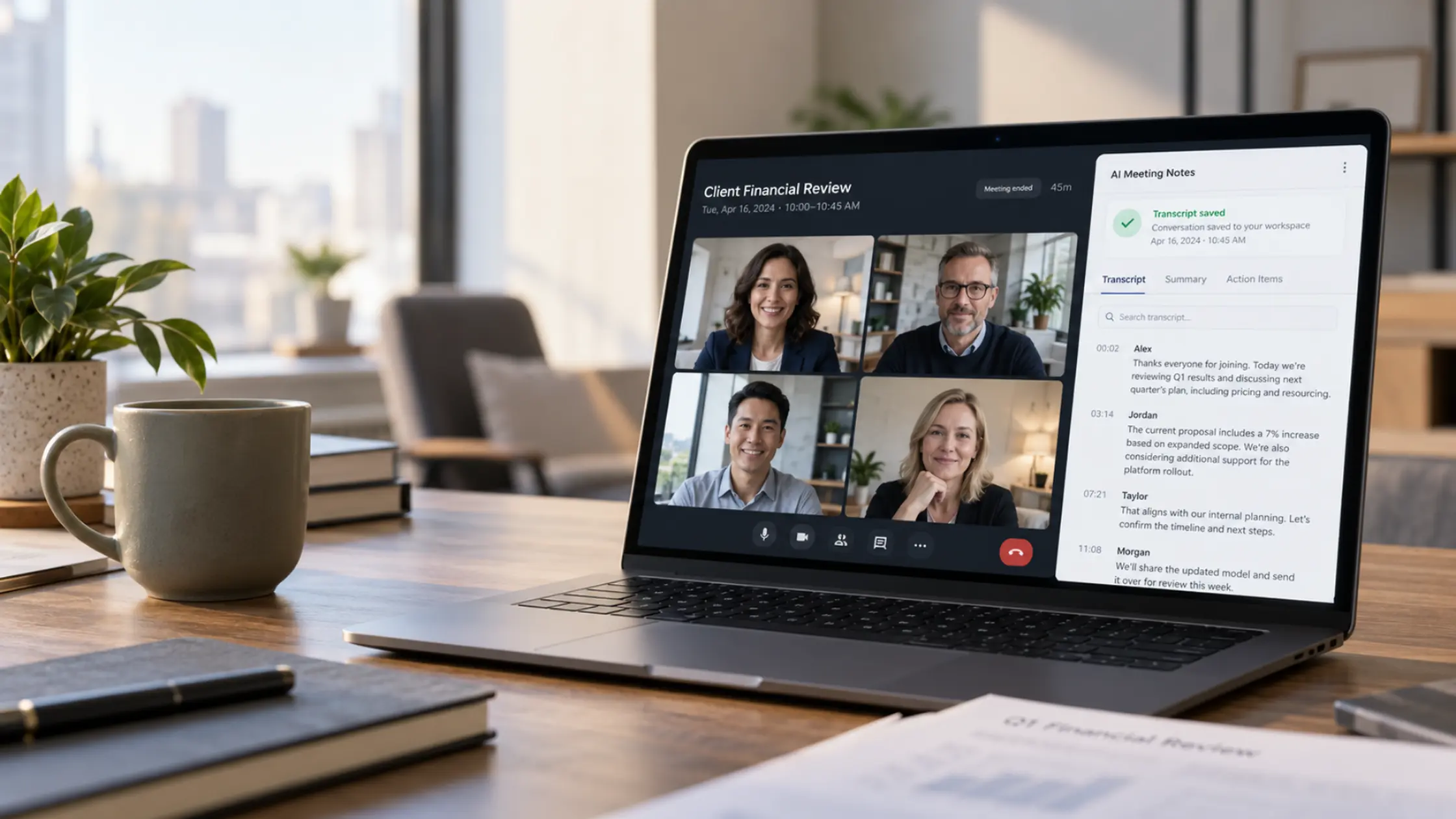

AI meeting notetakers can be safe for business when your organization approves the tools and controls access to their recordings and transcripts. However, employees may be able to connect them to Microsoft 365 without IT approval, exposing sensitive conversations to services your business hasn’t reviewed.
- How they get in: A calendar connection can allow AI notetakers to join meetings automatically, including recurring calls.
- What’s at risk: Recordings and transcripts may be stored outside your organization’s managed systems and retention policies.
- What to check first: Review existing app permissions and consent settings in Microsoft Entra.
Picture this: It’s a routine client call. Five people are on the participant list, plus an AI notetaker. By now, that’s hardly unusual. What’s easier to overlook is that the entire conversation may be saved to a third-party service the firm has never reviewed.
Months earlier, an employee connected a notetaking tool to their work calendar. No software installation or IT ticket was required. The bot has been joining meetings automatically ever since, including calls involving sensitive client information.
How AI notetakers connect to your meetings
An employee connects their Microsoft 365 calendar to a service such as Otter.ai or Fireflies.ai and approves the permissions it requests. Depending on the tool, those permissions can include calendar information and access to other work data.
If your Microsoft Entra settings allow employees to grant that consent, IT may never review the connection. With auto-join enabled, a notetaker can appear at each occurrence of a recurring meeting: a client check-in, partner meeting, or financial review. Otter’s documentation, for example, confirms that auto-join settings can apply to an entire recurring series.
The pattern is familiar from AI tools connecting to your Microsoft 365 data: a user’s authorization can create ongoing access.
Are AI meeting notetakers safe for business?
The main risk is what they capture.
Imagine a tax advisor discussing a client’s reassessment and possible voluntary disclosure. A notetaker captures the entire exchange and may email a summary afterward. The full transcript sits with a third-party service the firm hasn’t assessed.
The concern extends to everyday business discussions about client pricing, financial forecasts, and confidential personnel matters. A meeting participant may not realize a third-party service is storing the conversation.
Recordings and transcripts held only in the notetaker’s service may fall outside your Microsoft Purview retention, eDiscovery, and legal-hold processes. Summary emails sent to your staff are different, since they sit in your own Microsoft 365 mailboxes, but the full transcript usually doesn’t.
Recording consent and professional obligations depend on your circumstances. Take those questions to counsel. We’ve explored related risks in AI for accounting, legal, and non-profit organizations.
What happens to meeting recordings when an employee leaves?
When someone leaves, IT can disable their Microsoft 365 account. That doesn’t necessarily delete recordings held in a separate notetaker service.
Even if the former employee can no longer sign in, the firm may lack administrator access to review what’s been retained or who can still access it.
Free and individual plans may lack the centralized administration, audit, and deprovisioning controls available on business tiers. But paid tools need appropriate oversight, too. The important questions are who manages the account, where its data is stored, and what happens to that data when access changes.
How Microsoft 365 can help manage AI notetakers
Microsoft provides two useful controls. One helps manage which applications employees can authorize to access business data. The other helps identify external bots attempting to join Teams meetings.
| Control | What it does | Limit |
| Microsoft Entra app consent settings and admin consent workflow | Let administrators restrict new app consent and review requests | Existing permissions remain until reviewed or revoked |
| Microsoft Teams external-bot policy | Holds detected bots in the lobby; can be set to block them | Detection isn’t perfect |
Start with Entra. Restrict user consent as appropriate and enable the admin consent workflow, so staff can request a tool rather than approving it themselves. Then review permissions already granted: new consent settings don’t revoke old access.
Teams’ external-bot controls also has a check for bots that try to join a meeting your organization hosts. By default, it holds a detected bot in the lobby until the organizer approves it. In August 2026, Microsoft began rolling out an option for IT teams to block detected bots automatically, but it’s off unless someone turns it on. Microsoft acknowledges that some bots may go undetected.
Neither control automatically deletes recordings already stored with third-party services. Your settings also generally won’t govern a bot brought into a meeting hosted by a client or supplier.
Give staff a sanctioned way to take notes
People use notetakers because they want reliable summaries and action items. If your business only restricts the tools, employees may look for workarounds.
Teams intelligent meeting recap may already be an option for staff with qualifying licences. Otherwise, evaluate a third-party tool’s business or enterprise controls, storage, retention, and offboarding process.
As with managing shadow IT without slowing your team down, the goal is to understand what’s in use and provide an approved route forward.
What to ask your IT team this week
- Identify connected tools. Which AI notetakers have access to Microsoft 365, what permissions do they hold, and who approved them?
- Check existing recordings. Where are transcripts stored, who can access them, and what options exist to retain, export, or delete them? Some answers may require contacting the vendor.
- Review approval settings. Can staff connect new applications without IT approval? Are previously granted permissions still appropriate?
- Agree on an approved option. Which meeting tools should employees use, and how can they request alternatives?
Ask IT to summarize what they’ve found, any gaps that need attention, and the recommended next steps. This gives business leaders a practical starting point for managing the risk.
Find out what’s already connected
An AI notetaker can become a routine part of meetings while its permissions and stored transcripts remain outside IT’s view.
Third Octet’s Shadow AI Discovery can help identify connected AI tools and highlight where access and permissions warrant closer review. You receive a risk-rated report with prioritized governance actions to take to leadership, giving your business and IT team a clearer starting point.
AI Meeting Notetakers FAQs
Are AI meeting notetakers safe for business use?
They can be when the organization approves the service, understands where its data goes, and manages access, retention, and offboarding. Unmanaged accounts create avoidable risk, regardless of whether the service is free or paid.
How do I stop AI notetakers joining Teams meetings?
Review existing app permissions and restrict new consent in Microsoft Entra. For meetings your organization hosts, Teams can hold detected external bots in the lobby for approval, and admins can opt in to blocking them automatically. Detection is not guaranteed, so neither setting replaces reviewing what’s already connected.
Do AI notetaker recordings appear in eDiscovery or legal hold?
Not automatically. Recordings kept only in a third-party service may sit outside Microsoft Purview’s normal retention, eDiscovery, and legal-hold scope. Confirm the vendor’s integrations and your records requirements.


0 Comments