
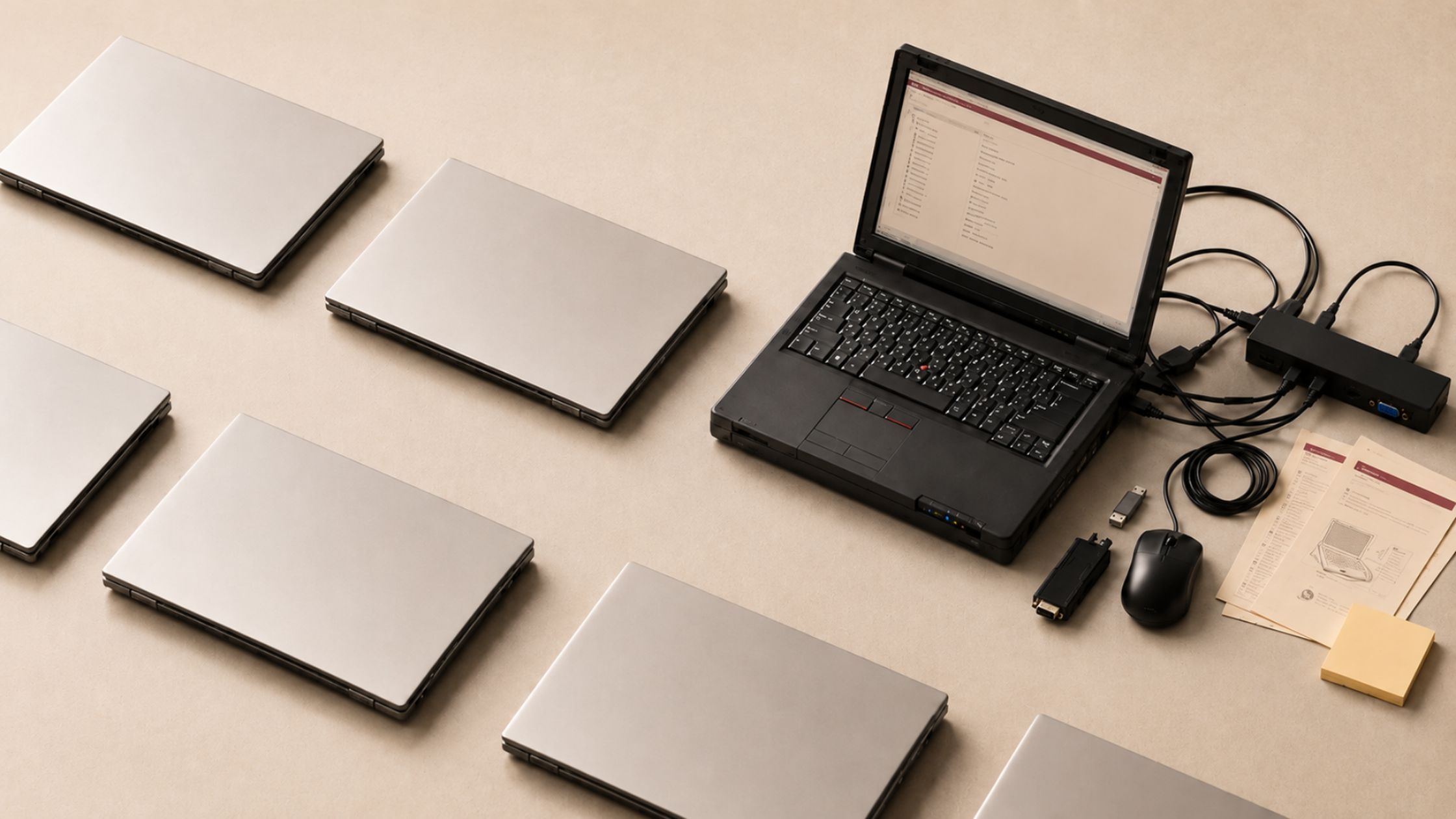

Why mixed hardware fleets can cost SMBs more than they save
TL;DR
A mixed fleet costs more because every off-standard laptop adds its own deployment, update, warranty, and support work over a three-to-five-year lifecycle. A discounted laptop that falls outside your organization’s hardware standard can end up costing more than it saves. Check with your IT team or MSP before buying so you understand the impact on deployment, security, updates, warranties, and support.
How does a mixed laptop fleet start?
The problem often starts with a perfectly reasonable decision.
Your team has been dealing with a few frustrating laptop issues: a sluggish machine here, a keyboard complaint there. Then another vendor offers a great price on a batch of new devices.
You can replace the problem laptops, save money on the purchase, and ask your IT provider to enroll the new devices in Microsoft Autopilot.
What looks like a straightforward purchase can introduce a second hardware ecosystem your IT team now has to manage.
What hidden costs come with a mixed fleet?
When an MSP manages your environment, it builds a support system around your hardware standard.
That system may include Autopilot deployment profiles that remove unnecessary software and configure each device on first boot. It can also include driver management packages, firmware update tools, BIOS configuration baselines, warranty workflows, and documentation the entire support team knows how to use.
Adding a second hardware vendor means recreating much of that support structure.
Depending on the model and factory image, Dell devices may arrive with utilities such as SupportAssist, Dell Digital Delivery, and Dell Customer Connect. They also use their own driver distribution processes, BIOS tools, firmware workflows, and warranty portal.
Each difference adds work across deployment, maintenance, troubleshooting, and support. Those costs rarely appear on the laptop invoice. They surface over the next several years.
How much does a mixed hardware fleet cost over its lifecycle?
The larger cost of a mixed hardware environment comes from maintaining it over a typical three-to-five-year device lifecycle.
Your IT team, whether internal or outsourced, must now move between two hardware ecosystems. That can mean different diagnostic tools, known-issue databases, escalation paths, warranty processes, and replacement parts.
The extra effort may seem minor on a single ticket. Across every deployment, support request, security update, and quarterly review, it adds up.
This matters when every technology dollar has to justify itself. The $200 you save on the purchase price of each device can become roughly $2,000 in additional management costs over a three-to-five-year lifecycle. That estimate reflects what we see when comparing the total cost of ownership in standardized environments with mixed fleets.
What this means for different types of SMBs
The cost of mixed hardware shows up differently depending on how your organization works.
For nonprofits, added support and lifecycle costs can pull limited technology budgets away from programs and services.
For law firms and other professional services businesses, inconsistent devices can complicate security controls, access management, and support for employees working with sensitive client information.
For growing companies, the biggest risk is often scale. A few exceptions may be manageable today, but they become harder and more expensive to support as the team expands.
The details vary, but every additional hardware standard creates another environment your IT team has to maintain.
Your team feels it too
A mixed fleet also creates a less consistent experience for employees.
When some people use Lenovo laptops, and others use Dell, they encounter different keyboards, trackpads, pre-installed utilities, and hardware quirks. Support instructions may apply to one group but not another.
That variability creates friction, and friction often creates more support tickets. Resolution can also take longer because your support team has more possible configurations to investigate.
Standardization reduces the number of variables your IT team must manage. It also gives employees a more predictable experience when devices are deployed, replaced, or repaired.
What should you do if a laptop model isn’t working for your team?
Problems with your current laptops deserve attention. They do not necessarily mean your entire hardware standard has failed.
The right response might include:
- Filing a warranty claim for a defective unit
- Selecting a different model from the same manufacturer
- Revisiting device specifications based on how employees work
- Investigating whether performance issues come from the hardware, software, configuration, or network
- Updating your organization’s approved device catalog
These options address the immediate problem while keeping deployment and support processes consistent.
A complete vendor change may also be justified. Moving from Lenovo to Dell, Dell to HP, or another manufacturer should be treated as a planned migration.
That means evaluating models, testing deployment workflows, documenting support processes, planning device replacement cycles, and deciding how long your organization will operate with both vendors.
A structured transition is far easier to manage than a mixed fleet that grows one discounted purchase at a time.
The takeaway
Laptop purchases may sit in a procurement budget, but they affect your entire technology environment.
Every new device touches deployment, security, updates, troubleshooting, warranty service, and employee support. A purchasing decision that ignores those systems can create costs long after the original invoice has been paid.
Before approving a laptop purchase, involve the people responsible for deploying, securing, and supporting it. A lower price only represents a saving when the device fits the standards and systems already in place. Otherwise, today’s deal can become tomorrow’s support burden.
If you’re unsure whether a purchase fits your current environment, start a conversation with your IT team or MSP before you buy. Talk to us before you buy →
FAQs
Should a small business standardize on one laptop brand?
For many small and midsize businesses, standardizing on one primary manufacturer simplifies deployment, updates, repairs, warranty claims, and employee support. Larger organizations may be able to support multiple vendors successfully, but doing so requires sufficient IT capacity and a clear reason for each hardware standard.
Is it ever okay to use more than one laptop brand?
Yes. A mixed fleet may make sense when certain roles have specialized hardware requirements, during a planned vendor migration, or when your organization has the resources to manage multiple device standards. The added complexity should be intentional, documented, and factored into the total cost.
How should your organization switch laptop vendors?
Start by testing a small number of devices against your deployment, security, application, and support requirements. Build the necessary Autopilot profiles, update processes, documentation, and warranty workflows before purchasing at scale. Then transition devices according to a defined replacement schedule rather than adding the new vendor gradually without a plan.
How often should a business replace laptops?
Many SMBs plan around a three-to-five-year device lifecycle. The right interval depends on how your team works, plus warranty coverage, performance, and security support. Replacing devices on a defined schedule, from your approved hardware standard, keeps deployment and support consistent, and it avoids a mixed fleet growing one discounted purchase at a time.


0 Comments